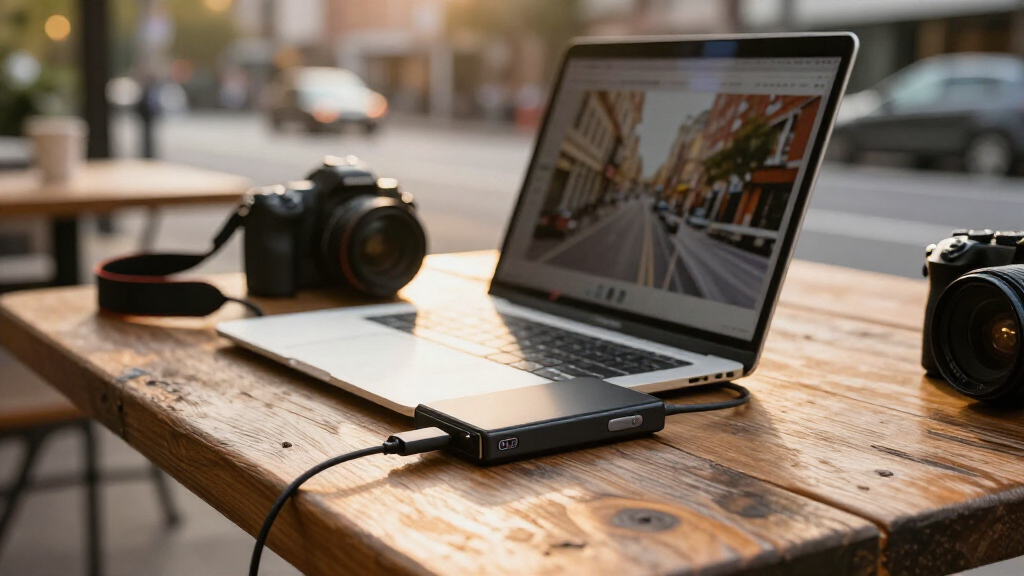
Portable SSD drives combine compact storage with faster file access than traditional portable hard drives, but the right choice depends on capacity, device compatibility, and how much speed your work can use. I rank the Samsung T7 2TB as the best overall for its balanced capacity and familiar USB 3.2 Gen 2 connection. The Samsung T9 2TB is the performance-focused pick, while the SanDisk Extreme 4TB suits buyers who need substantial storage in a portable drive. The main tradeoffs are paying for capacity you may not use, choosing a fast interface your computer cannot support, and deciding whether a smaller drive is enough. Read on for the full breakdown and a guide to matching a drive to your setup.

Get everyday essentials delivered free — and shop member deals
- Fast, free delivery on millions of items
- Access to Prime Big Deal Days deals on October 6–7
- Prime Video, Amazon Music and more included
Key Takeaways
- The Samsung T7 2TB is the most balanced choice: it pairs a useful capacity with a widely available USB 3.2 Gen 2 connection, without making the faster T9 interface a requirement.
- The Samsung T9’s speed depends on the host device: its USB 3.2 Gen 2×2 capability can make it a better fit for compatible workflows, but buyers should check their computer’s port support before choosing it.
- SanDisk’s lineup separates capacity from speed: the 4TB Extreme prioritizes room for large libraries, while the 1TB and 2TB Extreme options target buyers who want a faster-class drive with less storage.
- Entry capacities suit selective storage, not every archive: the 250GB SSK and 500GB SanDisk or SSK options can work for transfers and smaller projects, but large media collections can fill them quickly.
- USB-C does not guarantee the same connection setup: the SSK 500GB listing includes USB-C and USB-A, while other models may need an adapter or a compatible cable for older devices.
| Samsung T7 Portable SSD 2TB Titan Gray |  | Best Overall | Capacity: 2 TB | Interface: USB 3.2 Gen 2 | Read speed: Up to 1,050 MB/s | VIEW LATEST PRICE | See Our Full Breakdown |
| SanDisk Extreme Portable SSD 2TB, USB-C, USB 3.2 Gen 2 |  | Best for Outdoor Carry | Capacity: 2 TB | Interface: USB-C, USB 3.2 Gen 2 | Read speed: Up to 1,050 MB/s | VIEW LATEST PRICE | See Our Full Breakdown |
| Samsung T9 Portable SSD 2TB, USB 3.2 Gen 2×2, Up to 2,000 MB/s |  | Best for Maximum Speed | Capacity: 2 TB | Interface: USB 3.2 Gen 2×2 | Read speed: Up to 2,000 MB/s | VIEW LATEST PRICE | See Our Full Breakdown |
| SanDisk Extreme Portable SSD, 4TB, Up to 2000MB/s |  | Best High-Capacity Rugged Pick | Capacity: 4 TB | Interface: USB-C | Read speed: Up to 2,000 MB/s | VIEW LATEST PRICE | See Our Full Breakdown |
| SanDisk 500GB Portable SSD – Up to 1000 MB/s Read Speed, Black |  | Best Compact Starter Drive | Capacity: 500 GB | Interface: USB 3.0 | Connectivity: USB-C | VIEW LATEST PRICE | See Our Full Breakdown |
| Samsung T7 Portable SSD, 1TB, Titan Gray, USB 3.2 Gen 2 | | Best Balanced Pick | Storage capacity: 1 TB | Interface: USB 3.2 Gen 2 | Read speed: Up to 1,050 MB/s | VIEW LATEST PRICE | See Our Full Breakdown |
| SSK Portable 250GB External SSD with USB-C |  | Best for Compact Phone Workflows | Storage capacity: 250 GB | Interface: USB 3.2 Gen 2 | Read speed: Up to 1,050 MB/s | VIEW LATEST PRICE | See Our Full Breakdown |
| SanDisk 2TB Portable SSD, Up to 1000MB/s Read Speed | | Best High-Capacity Everyday Carry | Storage capacity: 2 TB | Interface: USB 3.0 | Connectivity: USB Type-C | VIEW LATEST PRICE | See Our Full Breakdown |
| SanDisk Extreme Portable SSD, 1TB, Up to 2000MB/s | | Best for Rugged, Fast Transfers | Storage capacity: 1 TB | Interface: USB 3.0 | Connector: USB Type-C | VIEW LATEST PRICE | See Our Full Breakdown |
| SSK 1TB Portable External SSD, USB-C, Up to 1050MB/s |  | Best for Cross-Device Creators | Storage capacity: 1 TB | Interface: USB 3.2 Gen 2 | Read speed: Up to 1,050 MB/s | VIEW LATEST PRICE | See Our Full Breakdown |
| SSK 500GB Portable External SSD with USB-C and USB-A |  | Best for Flexible Connections | Storage capacity: 500 GB | Read speed: Up to 1050 MB/s | Write speed: Up to 1000 MB/s | VIEW LATEST PRICE | See Our Full Breakdown |
| portable SSD drife | Interface | Read speed | Write speed | Weight |
|---|---|---|---|---|
| Samsung T7 Portable SSD 2TB Ti | USB 3.2 Gen 2 | Up to 1,050 MB/s | Up to 1,000 MB/s | — |
| SanDisk Extreme Portable SSD 2 | USB-C, USB 3.2 Gen 2 | Up to 1,050 MB/s | Up to 1,000 MB/s | — |
| Samsung T9 Portable SSD 2TB | USB 3.2 Gen 2×2 | Up to 2,000 MB/s | — | — |
| SanDisk Extreme Portable SSD | USB-C | Up to 2,000 MB/s | — | — |
| SanDisk 500GB Portable SSD | USB 3.0 | Up to 1,000 MB/s | Lower than read speed; varies | 1.12 ounces |
| Samsung T7 Portable SSD | USB 3.2 Gen 2 | Up to 1,050 MB/s | Up to 1,000 MB/s | — |
| SSK Portable 250GB External SS | USB 3.2 Gen 2 | Up to 1,050 MB/s | Up to 1,000 MB/s | 36.6 g |
| SanDisk 2TB Portable SSD | USB 3.0 | Up to 1,000 MB/s | — | 1.12 ounces |
| SanDisk Extreme Portable SSD | USB 3.0 | — | — | 1.6 ounces |
| SSK 1TB Portable External SSD | USB 3.2 Gen 2 | Up to 1,050 MB/s | Up to 1,000 MB/s | 36.6 g |
| SSK 500GB Portable External SS | USB 3.2 Gen 2, USB-C, USB-A | Up to 1050 MB/s | Up to 1000 MB/s | 36.6 g |
More Details on Our Top Picks
Samsung T7 Portable SSD 2TB Titan Gray
The Samsung T7 2TB is my balanced pick for everyday portable storage: its up-to-1,050 MB/s read speed and 1,000 MB/s write speed suit large project files without requiring the faster host connection needed to reach the Samsung T9’s 2,000 MB/s ceiling. Its aluminum body is rated for drops up to 6 feet, and the included USB-C-to-C and USB-C-to-A cables make it easy to connect across newer and older ports. That mix gives it broader out-of-box flexibility than the SanDisk Extreme Portable SSD 2TB, which puts more emphasis on IP65 water and dust resistance. The T7’s tradeoff is that it lacks that stated environmental rating, and full speed depends on a compatible USB 3.2 Gen 2 host with UASP. I’d choose it for a fast, versatile 2TB drive, not for the most rugged conditions.
Pros:- Up to 1,050 MB/s read and 1,000 MB/s write speeds
- Aluminum unibody with drop protection up to 6 feet
- Includes USB-C-to-C and USB-C-to-A cables
- 256-bit AES hardware encryption
Cons:- Peak speeds require a compatible USB 3.2 Gen 2 host and UASP support
- No stated IP water- or dust-resistance rating
- Some software features may require newer operating systems
Best for: Laptop, desktop, and console owners who want a versatile 2TB drive for frequent large-file transfers and value both USB-C and USB-A cable options.
Not ideal for: Outdoor users who need a stated water- and dust-resistance rating, or buyers with USB 3.2 Gen 2×2 hardware who want the Samsung T9’s higher potential speed.
- Capacity:2 TB
- Interface:USB 3.2 Gen 2
- Read speed:Up to 1,050 MB/s
- Write speed:Up to 1,000 MB/s
- Drop protection:Up to 6 feet
- Encryption:256-bit AES hardware encryption
- Included cables:USB Type-C-to-C and USB Type-C-to-A
- Color:Titan Gray
Our verdict“Choose the T7 for a well-rounded 2TB portable SSD with broad cable compatibility, but pick the SanDisk Extreme 2TB if IP65 protection matters more.”
SanDisk Extreme Portable SSD 2TB, USB-C, USB 3.2 Gen 2
The SanDisk Extreme Portable SSD 2TB is the more convincing choice when a drive will travel beyond a desk. Its IP65 water and dust resistance, drop protection up to 3 meters, and carabiner loop address hazards the Samsung T7 2TB does not list an environmental rating for. Transfer speeds are still competitive at up to 1,050 MB/s read and 1,000 MB/s write, so choosing the tougher design does not mean giving up the T7’s stated speed class. The compromise is that both drives need a suitable USB 3.2 Gen 2 host for their headline performance, while this SanDisk’s password protection requires a software download on Mac. I’d favor it for field photographers and travelers who need a way to attach the drive to a bag; desk-based buyers may find the T7’s included cable mix more useful.
Pros:- IP65-rated water and dust resistance
- Drop protection up to 3 meters
- Carabiner loop makes it easier to attach during travel
- Up to 1,050 MB/s read and 1,000 MB/s write speeds
Cons:- Maximum speeds depend on the host device and connection conditions
- Password protection on Mac requires a software download
- Its stated speed ceiling is lower than the Samsung T9’s
Best for: Photographers, travelers, and field workers carrying files in dusty or wet environments who want a carabiner loop and 2TB capacity.
Not ideal for: Buyers who mainly need a desk-based drive, prefer to avoid downloaded password software on Mac, or need the Samsung T9’s higher potential transfer speed.
- Capacity:2 TB
- Interface:USB-C, USB 3.2 Gen 2
- Read speed:Up to 1,050 MB/s
- Write speed:Up to 1,000 MB/s
- Water and dust resistance:IP65
- Drop protection:Up to 3 meters
- Encryption:256-bit AES hardware encryption
- Color:Black
Our verdict“Pick this SanDisk over the Samsung T7 when water, dust, and easy attachment matter more than cable flexibility or a faster speed ceiling.”
Samsung T9 Portable SSD 2TB, USB 3.2 Gen 2×2, Up to 2,000 MB/s
The Samsung T9 2TB earns its place for buyers whose devices can make use of its USB 3.2 Gen 2×2 connection. Its potential read speed of up to 2,000 MB/s is nearly twice the stated read ceiling of the Samsung T7 and SanDisk Extreme 2TB, which can shorten transfers of large video or project files when the host, cable, and UASP support all match. Thermal management is aimed at heavy workloads, and hardware encryption adds a layer of data protection. The catch is central to the purchase: on a host without Gen 2×2 support, the T9 cannot deliver its headline speed, so the less demanding T7 may be the more practical fit. I’d reserve this drive for creators with compatible hardware, rather than treating its higher ceiling as a benefit every portable setup can use.
Pros:- Up to 2,000 MB/s read speed with compatible hardware
- Thermal management for demanding transfer sessions
- Hardware encryption
- Listed compatibility includes computers, consoles, tablets, and iPhone 15/16
Cons:- Peak speed depends on compatible USB 3.2 Gen 2×2 hardware, cable, and UASP support
- The faster interface may provide little benefit on older or lower-speed hosts
- The supplied data does not state an IP water- or dust-resistance rating
Best for: Video editors and other creators with USB 3.2 Gen 2×2 computers who regularly move large files and can use the higher speed ceiling.
Not ideal for: People with USB 3.2 Gen 2-only devices or casual storage needs; the Samsung T7 offers a more practical speed class for those setups.
- Capacity:2 TB
- Interface:USB 3.2 Gen 2×2
- Read speed:Up to 2,000 MB/s
- Form factor:Portable, 2.5 inches
- Color:Black
- Additional features:Hardware encryption and thermal management
- Compatible devices:Gaming console, Mac, PC, tablet, iPhone 15/16
Our verdict“Choose the T9 if your computer supports USB 3.2 Gen 2×2 and fast large-file transfers matter; otherwise, the Samsung T7 is the simpler match.”
SanDisk Extreme Portable SSD, 4TB, Up to 2000MB/s
The SanDisk Extreme Portable SSD 4TB is the lineup’s capacity-first choice for people who want both substantial room and a rugged exterior. Its 4TB capacity doubles that of the 2TB Samsung T9 and SanDisk Extreme 2TB, while its stated read speed of up to 2,000 MB/s suits large photo libraries and video projects—provided the connected device supports the drive’s performance. Like the 2TB SanDisk Extreme, it has IP65 water and dust resistance and drop protection up to 3 meters, making it a stronger fit for field use than the Samsung T7. The tradeoff is less clarity around write performance: the supplied data says writes are lower than the maximum read speed but gives no specific figure. Password protection also requires software and is limited to Windows 10+ and macOS 12+.
Pros:- 4TB capacity for larger projects and file libraries
- Up to 2,000 MB/s read speed
- IP65-rated water and dust resistance
- Drop protection up to 3 meters
Cons:- Write speed is lower than the stated maximum read speed, with no specific figure supplied
- Password protection requires software and supports Windows 10+ and macOS 12+
- Full speed depends on the connected device
Best for: Video professionals and photographers who need 4TB for project archives and want IP65-rated protection for travel or field work.
Not ideal for: Buyers who need a stated write-speed figure, use older operating systems for password protection, or only need 2TB of capacity.
- Capacity:4 TB
- Interface:USB-C
- Read speed:Up to 2,000 MB/s
- Water and dust resistance:IP65
- Drop protection:Up to 3 meters
- Encryption:256-bit AES
- Compatible devices:Desktop, laptop, smartphone, tablet
- Color:Black
Our verdict“Choose this 4TB SanDisk over the 2TB Samsung T9 when storage space and rugged protection matter more than a clearly stated write-speed ceiling.”
SanDisk 500GB Portable SSD – Up to 1000 MB/s Read Speed, Black
The SanDisk 500GB Portable SSD is the straightforward pick for carrying a modest working set rather than a full archive. At 1.12 ounces and pocket-sized dimensions, it is easier to pack than the higher-capacity Samsung T7 2TB, while its stated read speed of up to 1,000 MB/s is suited to quick transfers when the host supports it. USB-C connectivity and plug-and-play operation keep setup simple for personal, business, or multimedia files. Its rugged, dust-resistant, water-resistant, and shock-resistant design also makes it more travel-minded than a bare portable drive, though the supplied description gives less detail about protection than the SanDisk Extreme 2TB’s IP65 rating and 3-meter drop specification. The main limit is capacity: 500GB fills quickly with large video collections, and write speeds are lower than read speeds and vary by device.
Pros:- Compact, pocket-size design weighing 1.12 ounces
- Up to 1,000 MB/s read speed
- USB-C plug-and-play connectivity without drivers
- Listed as dust, water, shock, and drop resistant
Cons:- 500GB capacity can be restrictive for large video or photo libraries
- Write speed is lower than read speed and varies by device
- Performance depends on the connected host hardware
Best for: Students, mobile workers, and casual creators who need a light USB-C drive for a limited set of documents, photos, and media files.
Not ideal for: Video editors, photographers with large libraries, or anyone seeking 2TB or more; the Samsung T7 provides four times the capacity.
- Capacity:500 GB
- Interface:USB 3.0
- Connectivity:USB-C
- Read speed:Up to 1,000 MB/s
- Write speed:Lower than read speed; varies
- Weight:1.12 ounces
- Dimensions:1.77 × 3.35 × 0.39 inches
- Listed resistance:Dust, water, shock, and drop resistant
Our verdict“Choose this SanDisk for lightweight USB-C storage and a smaller file collection, but move up to the Samsung T7 if you need more room.”
Samsung T7 Portable SSD, 1TB, Titan Gray, USB 3.2 Gen 2
The Samsung T7 1TB balances speed, capacity, and a sturdy compact body, making it a versatile choice for moving active projects between compatible devices. Its rated 1,050 MB/s read and 1,000 MB/s write speeds suit large file transfers, while included USB-C and USB-A cables help it connect to newer and older ports. The aluminum enclosure is rated for drops up to six feet, a useful safeguard for a drive carried between workspaces. Compared with the SSK 1TB Portable External SSD, the T7 offers similar headline transfer speeds but adds stated 256-bit AES hardware encryption; SSK instead includes diagnostics and TRIM support. The tradeoff is that full speed depends on a compatible USB 3.2 Gen 2 connection and UASP support, and device compatibility can vary. Buyers needing more room may prefer the 2TB T7 elsewhere in this roundup.
Pros:- Up to 1,050 MB/s read and 1,000 MB/s write speeds on compatible connections
- Aluminum body with drop protection up to six feet
- USB-C-to-USB-C and USB-C-to-USB-A cables included
- 256-bit AES hardware encryption
Cons:- Maximum speeds require a compatible USB 3.2 Gen 2 connection and UASP support
- Device compatibility may vary
- The 1TB capacity offers less room than the 2TB Samsung T7 option in this roundup
Best for: People who want a dependable 1TB drive for carrying work files between computers, phones, and consoles, with both cable types included.
Not ideal for: Buyers with large video libraries who would quickly outgrow 1TB, or users whose ports cannot take advantage of its rated speeds.
- Storage capacity:1 TB
- Interface:USB 3.2 Gen 2
- Read speed:Up to 1,050 MB/s
- Write speed:Up to 1,000 MB/s
- Drop protection:Up to 6 feet
- Encryption:256-bit AES hardware encryption
- Included cables:USB Type-C to Type-C and Type-C to Type-A
- Color:Titan Gray
Our verdict“Choose the Samsung T7 1TB for a balanced mix of portable speed, broad connections, and stated hardware encryption.”
SSK Portable 250GB External SSD with USB-C
The SSK 250GB Portable SSD is a small-capacity choice for people who need a lightweight place to offload phone footage or a focused set of work files. At 36.6 g, it is easy to carry, and the included USB-C and USB-A cables make it more adaptable across computers and compatible mobile devices than a drive supplied with only one connection option. Its advertised speeds reach 1,050 MB/s read and 1,000 MB/s write, and compatible iPhones can use it for 4K60 ProRes HDR recording. Compared with the SSK 1TB Portable External SSD, it keeps the same general speed and feature set but gives up three-quarters of the capacity. That makes it a better fit for short-term transfers than a broad backup library. The SLC high-speed cache covers only 25% of available capacity, and Windows may show about 232GB usable.
Pros:- Light 36.6 g aluminum enclosure
- USB-C and USB-A cables included
- Up to 1,050 MB/s read and 1,000 MB/s write speeds
- Supports compatible iPhone 4K60 ProRes HDR recording
Cons:- 250GB capacity is restrictive for large project archives
- SLC high-speed cache is limited to 25% of available capacity
- Usable capacity may appear as about 232GB on Windows
Best for: iPhone creators recording compatible ProRes footage who want a very light external drive for short shoots and file handoffs.
Not ideal for: Photographers, editors, or backup users keeping large libraries on one drive; 250GB and the limited SLC cache can constrain longer workloads.
- Storage capacity:250 GB
- Interface:USB 3.2 Gen 2
- Read speed:Up to 1,050 MB/s
- Write speed:Up to 1,000 MB/s
- Weight:36.6 g
- Dimensions:2.6 × 1.5 × 0.5 inches
- Enclosure:Aluminum alloy
- Included cables:USB-C and USB-A
- Features:LED activity light, S.M.A.R.T. diagnostics, TRIM support, SLC caching
Our verdict“Pick this SSK when low carry weight and compatible iPhone recording matter more than having room for a large archive.”
SanDisk 2TB Portable SSD, Up to 1000MB/s Read Speed
The SanDisk 2TB Portable SSD puts capacity ahead of the faster performance claims found on some other drives here. Its 2TB space suits a traveling photo or video library, while the pocket-sized, 1.12-ounce body is easier to carry than a larger desktop backup device. Read speeds are rated up to 1,000 MB/s, and the drive has drop protection up to two meters plus stated dust, shock, and water resistance. Compared with the SanDisk Extreme Portable SSD 1TB, this model offers twice the listed capacity but half the maximum read-speed claim. That makes it a stronger choice for keeping more files in one place, not for buyers chasing the fastest transfers. The supplied data does not state a write-speed ceiling, so sustained write performance is less clear. Its USB 3.0 interface may also limit performance relative to faster-interface options.
Pros:- 2TB capacity in a pocket-sized 1.12-ounce design
- Read speeds rated up to 1,000 MB/s
- Drop protection up to two meters
- USB-C plug-and-play connectivity with compatible devices
Cons:- Write-speed performance is not specified in the supplied product data
- USB 3.0 interface is less clearly positioned for high-speed workflows than the USB 3.2 Gen 2 models
- Available storage is less than the stated 2TB capacity
Best for: Traveling photographers and laptop users who want 2TB of portable storage for a large media collection and routine transfers.
Not ideal for: Editors prioritizing the highest stated read speeds or buyers who need clearly specified write performance before choosing a drive.
- Storage capacity:2 TB
- Interface:USB 3.0
- Connectivity:USB Type-C
- Read speed:Up to 1,000 MB/s
- Drop protection:Up to 2 meters
- Weight:1.12 ounces
- Dimensions:1.77 × 3.35 × 0.39 inches
- Durability features:Dust resistant, shock resistant, water resistant
Our verdict“Choose this SanDisk for a light 2TB everyday carry drive when capacity matters more than the higher read-speed claim of the 1TB Extreme.”
SanDisk Extreme Portable SSD, 1TB, Up to 2000MB/s
The SanDisk Extreme Portable SSD 1TB is the speed-and-protection pick for people carrying active files into less predictable conditions. Its rated 2,000 MB/s read speed is the highest stated read figure among these five products, while an IP65 rating and drop protection up to three meters offer more environmental protection than the Samsung T7’s six-foot drop rating. Password protection with 256-bit AES encryption adds a layer for work files. Compared with the SanDisk 2TB Portable SSD, this model trades half the capacity for a higher read-speed claim and a more explicit durability rating. The headline speed is a maximum, not a promise for every host connection, and the listed write speed is lower than the read speed. Encryption also requires a software download, adding setup work before protected transfers.
Pros:- Read speeds rated up to 2,000 MB/s
- IP65 dust and water resistance
- Drop protection up to three meters
- Password protection with 256-bit AES encryption
Cons:- Write speed is lower than the stated maximum read speed
- Encryption requires a software download
- 1TB capacity is smaller than the 2TB SanDisk Portable SSD in this roundup
Best for: Mobile creators and field workers who carry a 1TB active project drive and value rated dust and water resistance alongside fast reads.
Not ideal for: People who need a 2TB working library or want encryption that works without downloading software.
- Storage capacity:1 TB
- Interface:USB 3.0
- Connector:USB Type-C
- Maximum read speed:Up to 2,000 MB/s
- Durability:IP65 rated; drop protection up to 3 meters
- Security:Password protection with 256-bit AES encryption
- Weight:1.6 ounces
- Dimensions:3.35 × 2 × 0.39 inches
Our verdict“Choose the Extreme 1TB for a rugged portable workflow where its higher read-speed claim and IP65 rating outweigh the smaller capacity.”
SSK 1TB Portable External SSD, USB-C, Up to 1050MB/s
The SSK 1TB Portable External SSD is a practical match for creators who move footage between phones, tablets, and computers rather than keeping their drive at one desk. It comes with USB-C and USB-A cables, weighs 36.6 g, and supports compatible iPhone ProRes capture. Its stated 1,050 MB/s read and 1,000 MB/s write speeds put it in the same advertised speed class as the Samsung T7 1TB; the SSK stands out with S.M.A.R.T. diagnostics, TRIM support, and an activity light, while the Samsung lists 256-bit AES hardware encryption and a specific six-foot drop rating. SSK’s 1TB capacity is more flexible for project work than the 250GB SSK model, but its SLC caching means top cache speeds depend on available capacity. Windows may also report about 931GB usable.
Pros:- 1TB capacity with read speeds up to 1,050 MB/s and write speeds up to 1,000 MB/s
- USB-C and USB-A cables included
- 36.6 g aluminum enclosure with an LED activity light
- Supports compatible iPhone ProRes video capture
Cons:- SLC cache performance depends on available capacity
- Windows may show about 931GB usable
- No specific drop-protection rating is provided in the supplied data
Best for: Creators who need a lightweight 1TB drive for shuttling files between a compatible iPhone, computer, and other USB-C or USB-A devices.
Not ideal for: Buyers who need stated hardware encryption or a specified drop-protection rating, or who require peak cache speeds across extended transfers.
- Storage capacity:1 TB
- Interface:USB 3.2 Gen 2
- Read speed:Up to 1,050 MB/s
- Write speed:Up to 1,000 MB/s
- Weight:36.6 g
- Dimensions:2.6 × 1.5 × 0.5 inches
- Enclosure:Aluminum alloy
- Included cables:USB-C and USB-A
- Features:LED activity light, S.M.A.R.T. diagnostics, TRIM support, SLC caching
Our verdict“Pick the SSK 1TB for lightweight cross-device file handling and compatible iPhone capture, but choose the Samsung T7 if stated hardware encryption matters more.”
SSK 500GB Portable External SSD with USB-C and USB-A
The SSK 500GB Portable External SSD is a practical pick for people who move files between newer USB-C devices and older computers. Its included USB-C and USB-A cables save you from needing a separate adapter, while the aluminum enclosure keeps the 36.6 g drive light and compact. With read speeds up to 1050 MB/s and write speeds up to 1000 MB/s, it has performance comparable to the SanDisk 500GB Portable SSD on paper, but adds SMART diagnostics and TRIM support. The main compromise is capacity: 500GB offers less room than the 1TB Samsung T7 or the larger drives in this roundup. Also, SLC caching applies to a portion of available capacity, so sustained transfers beyond that cache may not maintain peak write speeds. Choose it for flexible connectivity and a small transfer drive, not a large media archive.
Pros:- Includes both USB-C and USB-A cables for connecting to a mix of devices
- Up to 1050 MB/s read and 1000 MB/s write speeds suit quick everyday file transfers
- Lightweight 36.6 g aluminum enclosure is easy to carry
- TRIM support and SMART diagnostics add useful drive-management features
Cons:- 500GB capacity is limited beside the 1TB and 2TB alternatives in the roundup
- SLC caching covers only part of available capacity, so longer writes may slow after the cache fills
- Windows may show about 465GB of usable capacity
Best for: Laptop and phone owners who regularly transfer files between USB-C devices and computers with USB-A ports, and need a lightweight 500GB drive.
Not ideal for: Video professionals or frequent bulk-transfer users who need ample capacity and consistently high write speeds after the SLC cache is filled.
- Storage capacity:500 GB
- Read speed:Up to 1050 MB/s
- Write speed:Up to 1000 MB/s
- Interface:USB 3.2 Gen 2, USB-C, USB-A
- Dimensions:2.6 × 1.5 × 0.5 inches
- Weight:36.6 g
- Enclosure:Aluminum alloy
- Features:LED activity light, SMART diagnostics, TRIM support, SLC caching
- Compatibility:Desktop, laptop, smartphone, tablet, iPhone
Our verdict“Choose this SSK if you want a lightweight 500GB SSD with both USB-C and USB-A connections, but pick a higher-capacity drive for large libraries or extended transfers.”
How We Picked
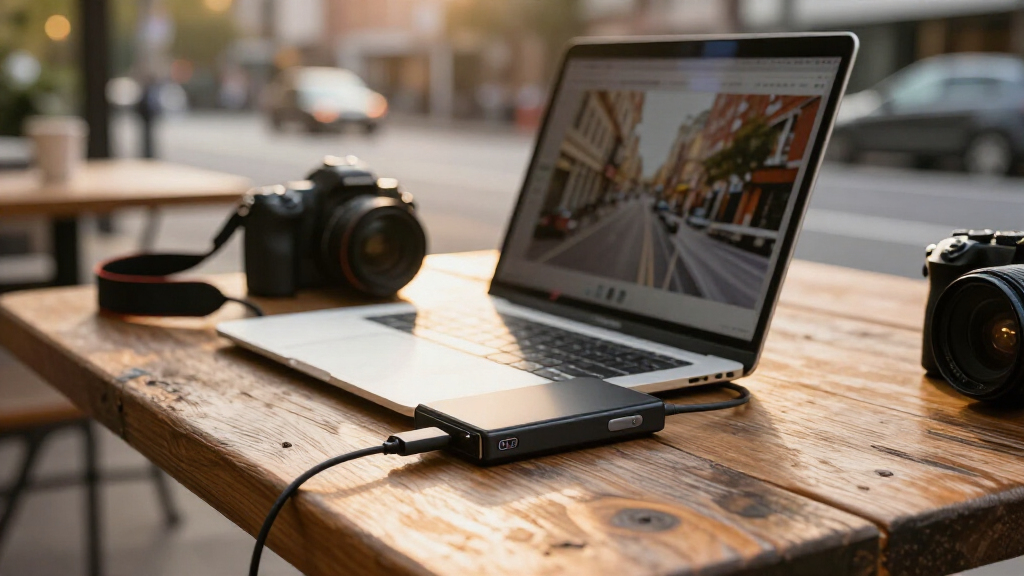
I compared these portable SSD drives on the factors that affect day-to-day use: stated speed and interface, capacity, connection flexibility, and how well each model fits a distinct buyer. A drive’s advertised transfer rate matters only when the computer, cable, and workload can take advantage of it, so I gave practical compatibility more weight than the highest speed figure alone. I also weighed whether each capacity makes sense for the likely use, from moving documents to keeping large creative files close at hand.
The ranking favors balanced choices first, then options that solve a more specific need. The Samsung T7 2TB leads because its capacity and interface are broadly practical; the T9 ranks higher for buyers with compatible high-speed ports, but its extra performance potential is less useful on unsupported systems. Large-capacity and rugged-positioned SanDisk Extreme models follow for storage-heavy or speed-focused users, while smaller or less fully specified options rank lower because their capacity, connection details, or stated performance make them more specialized. I distinguish products by their listed specifications rather than implying hands-on testing.
| portable SSD drife | Interface | Read speed | Write speed |
|---|---|---|---|
| Samsung T7 Portable SSD 2TB Ti | USB 3.2 Gen 2 | Up to 1,050 MB/s | Up to 1,000 MB/s |
| SanDisk Extreme Portable SSD 2 | USB-C, USB 3.2 Gen 2 | Up to 1,050 MB/s | Up to 1,000 MB/s |
| Samsung T9 Portable SSD 2TB | USB 3.2 Gen 2×2 | Up to 2,000 MB/s | — |
| SanDisk Extreme Portable SSD | USB-C | Up to 2,000 MB/s | — |
| SanDisk 500GB Portable SSD | USB 3.0 | Up to 1,000 MB/s | Lower than read speed; varies |
| Samsung T7 Portable SSD | USB 3.2 Gen 2 | Up to 1,050 MB/s | Up to 1,000 MB/s |
| SSK Portable 250GB External SS | USB 3.2 Gen 2 | Up to 1,050 MB/s | Up to 1,000 MB/s |
| SanDisk 2TB Portable SSD | USB 3.0 | Up to 1,000 MB/s | — |
| SanDisk Extreme Portable SSD | USB 3.0 | — | — |
| SSK 1TB Portable External SSD | USB 3.2 Gen 2 | Up to 1,050 MB/s | Up to 1,000 MB/s |
| SSK 500GB Portable External SS | USB 3.2 Gen 2, USB-C, USB-A | Up to 1050 MB/s | Up to 1000 MB/s |
Factors to Consider When Choosing Portable SSD Drives
Before choosing a portable SSD, I would start with the files you need to carry and the devices you will connect it to. A fast-looking specification can be wasted on an incompatible port, while extra capacity can add little value if your drive holds only a small working set. These factors help narrow the field beyond the differences between individual models.
Match the interface to your computer, not just the speed claim
Advertised transfer speeds describe a best-case ceiling, not a promise for every computer. Check the exact USB standard supported by your device, because a USB-C-shaped port does not by itself confirm USB 3.2 Gen 2 or Gen 2×2 support. The Samsung T9’s Gen 2×2 interface is most compelling when the host system supports that standard; otherwise, a less ambitious drive may deliver similar practical results. Cable capability can also limit throughput, particularly if you reuse an older cable. For routine document backups, interface differences may matter less than dependable compatibility. For frequent transfers of large video files, matching the drive, port, and cable is more likely to save time.
Choose capacity around your working set and backup plan
Estimate the size of the files you expect to keep on the drive, then leave room for growth rather than filling it immediately. Smaller 250GB or 500GB drives can be suitable for temporary transfers, a focused project, or a portable set of essential files. They are less comfortable as a home for expanding photo and video libraries. A 1TB or 2TB model offers more flexibility for ongoing work, while 4TB is aimed at buyers who want a substantial library in one device. Capacity is not a substitute for a backup: a single portable drive can be lost or damaged. Keep another copy of irreplaceable files somewhere separate.
Pay for speed only when your workload can use it
High transfer rates are most valuable when you regularly move large files or work directly from external storage. For occasional backups and smaller everyday files, the time saved by a faster interface may be hard to notice. Check both the drive’s stated speed and your computer’s port before paying extra for a performance-focused model. Sustained transfers can also behave differently from short bursts, so avoid treating peak figures as a guarantee for a long copy job. If your tasks are light, capacity and connection convenience may matter more. If large files are routine, a faster drive paired with a compatible system can make repeated transfers less disruptive.
Decide whether you need one cable type or broader device access
USB-C is common on recent computers and phones, but older laptops, desktops, and shared equipment may still rely on USB-A. Confirm what is included with the exact product listing rather than assuming every model has the same cables or adapters. The SSK 500GB option specifically lists USB-C and USB-A, which can be useful for switching between newer and older devices. An adapter can fill the gap, but it adds another small item to carry and can be easy to misplace. Also check whether your phone or tablet supports external storage and whether its file-management setup meets your needs. Planning around the devices you actually use prevents a portable drive from becoming inconvenient to connect.
Treat durability claims as one part of handling risk
Portable storage travels in bags, pockets, and workspaces, so size and physical protection matter alongside speed. A model described as an Extreme drive may appeal to people who carry storage between locations, but buyers should verify the specific protection claims for the exact version they plan to purchase. A compact drive is easier to pack, yet a small body can also be easier to misplace. Use a case or a consistent storage spot if the drive will travel often. Avoid assuming that a rugged-sounding name makes a drive safe from every drop, liquid exposure, or misuse. For important data, careful handling and a second copy remain more reliable safeguards than branding alone.
Think about everyday capacity, not just the largest number
A large drive can simplify storage by keeping more projects in one place, but it may be unnecessary if you rotate files or archive them elsewhere. On the other hand, buying too little capacity can lead to frequent file shuffling and make a drive feel cramped sooner than expected. Consider whether the SSD will be a working drive, a transfer tool, or an archive companion; each role calls for a different balance of capacity and speed. If it is a working drive, leave free space for current projects and updates. If it is mainly for moving files, portability and connector access may matter more than maximum capacity. Choose the smallest capacity that comfortably fits your real routine, not just today’s files.
Frequently Asked Questions
Should I choose the Samsung T9 over the T7 if my computer has USB-C?
Not on the connector shape alone: USB-C describes the port format, while the T9’s USB 3.2 Gen 2×2 speed needs matching support from the computer and cable. Check your device specifications for Gen 2×2 before paying for the T9’s higher speed ceiling. If your system does not support it, the T7’s Gen 2 interface may be a more practical fit for everyday transfers. The T9 makes more sense when large files are a regular part of your work and your equipment can use its interface. If your transfers are mostly documents or occasional backups, capacity and ease of connection may deserve more attention.
Is 500GB enough for a portable SSD?
It can be enough for a small working set, a short-term project, or moving files between devices, especially if you regularly clear completed work. It is less comfortable for an expanding photo, video, or game library, where large files can consume space quickly. The 500GB options in this roundup also differ in their listed connection details, so compare those alongside capacity. Think about how much space your current files use and leave headroom for new ones. If you expect the drive to hold several projects at once, a 1TB model may reduce frequent file management.
Will a portable SSD work with my phone or tablet?
Possibly, but compatibility depends on the device’s operating system, support for external storage, connector, and power needs. A USB-C port alone does not guarantee that a phone or tablet can browse and write files to every external SSD. Check the device maker’s guidance and confirm that you have a suitable cable or adapter for the drive. If you plan to move large video files, verify that your device’s file workflow supports the formats and file sizes you use. For frequent mobile use, connector convenience and a clear transfer process may matter more than a drive’s highest advertised speed.
Is a 4TB portable SSD a better choice than a 2TB model?
A 4TB drive is a better fit when you need to keep a large working library or several projects together, but it is not automatically the better buy for every user. If you use only a fraction of 2TB, the extra capacity may go unused. The SanDisk Extreme 4TB stands out here for buyers who prioritize room, while the Samsung T7 2TB offers a more balanced capacity for many portable workflows. Remember that one drive should not be the only copy of important files, regardless of size. Compare your current storage needs, expected growth, and backup plan before stepping up.
Do I need a portable SSD with both USB-C and USB-A?
Dual-connector access can be useful if you regularly move between newer USB-C devices and older computers with USB-A ports. The SSK 500GB model specifically lists both connection types, while other options may require an adapter or a separate cable. If all your devices use USB-C, the extra connector flexibility may add little for your routine. For shared computers or travel, carrying fewer adapters can make a dual-connection setup more convenient. Check the included accessories in the exact listing, since cable bundles can differ between versions and sellers.
Conclusion
For most buyers, I would start with the Samsung T7 2TB as the best overall: it balances useful capacity with a broadly practical interface. The best premium, speed-focused choice is the Samsung T9 2TB, but only if your computer supports USB 3.2 Gen 2×2. For best value in a straightforward everyday drive, I would compare the Samsung T7 1TB and SanDisk 2TB Portable SSD against how much room you actually need; the smaller T7 suits a tighter working set, while the SanDisk offers more listed capacity. The best option for beginners is the Samsung T7 1TB, a simple capacity-and-interface combination for common transfers and backups. For specific needs, pick the SanDisk Extreme 4TB for a large portable library, the SSK 500GB for listed USB-C and USB-A access, or a 250GB SSK when a compact-capacity transfer drive is enough. Before deciding, confirm your device’s port support and keep a separate copy of important files.
Halloween Picks
halloween
As an affiliate, we earn on qualifying purchases.