
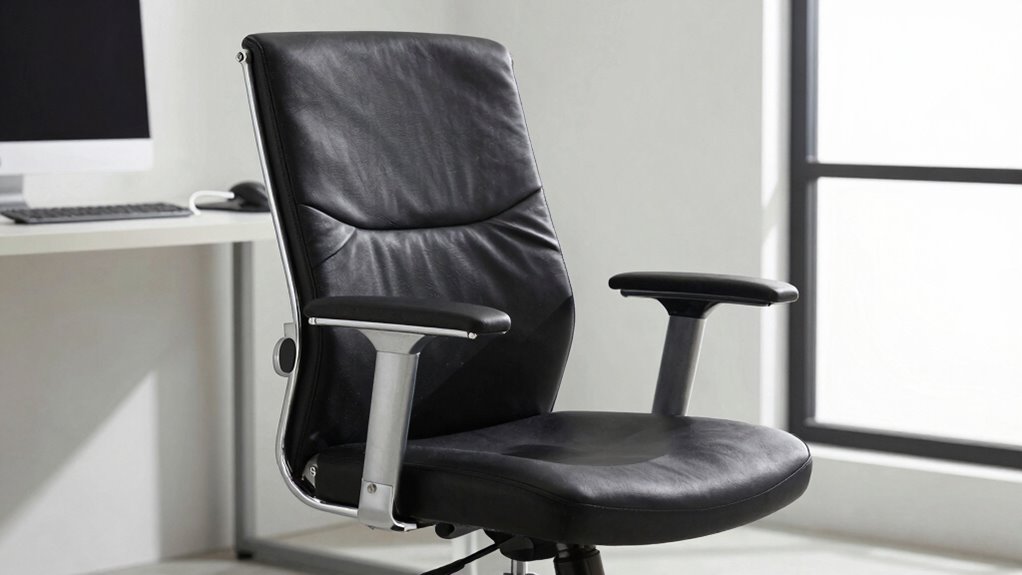

To support your back effectively, adjust your chair so your feet rest flat on the ground or a footrest, with knees bent at about 90 degrees. Set the lumbar support to match your lower spine’s natural curve, or use a cushion if needed. Make certain your armrests are relaxed and at a comfortable height. Adjust the tilt slightly backward for relaxed posture, and position your monitor at eye level. Keep these tips in mind, and you’ll find more ways to improve your comfort and support.

Get everyday essentials delivered free — and shop member deals
- Fast, free delivery on millions of items
- Access to Prime Big Deal Days deals on October 6–7
- Prime Video, Amazon Music and more included
Key Takeaways
- Adjust lumbar support to match the natural curve of your lower back for optimal spine alignment.
- Set the chair height so feet rest flat and knees are at a 90-degree angle.
- Use armrests to keep shoulders relaxed and elbows close to your sides.
- Slightly tilt the chair backward to promote a relaxed, supported posture.
- Position the monitor at eye level and keep wrists straight to reduce overall strain.

Have you ever wondered if your office chair is properly adjusted for maximum comfort and productivity? It’s a common concern, especially when you spend hours at your desk. The good news is that small adjustments can make a big difference in how your back feels at the end of the day. One effective way to support your back is by incorporating ergonomic accessories that promote proper posture correction. These accessories aren’t just trendy; they’re designed to align your spine properly, reduce strain, and prevent long-term discomfort.
Start by examining your chair’s height. Your feet should rest flat on the floor, with your knees bent at about a 90-degree angle. If your feet don’t reach the ground comfortably, consider using a footrest. This simple addition helps maintain good posture and alleviates pressure on your lower back. Next, adjust the lumbar support. Many office chairs come with built-in lumbar adjustments, but if yours doesn’t, using an ergonomic accessory like a lumbar cushion can provide essential back support. Proper lumbar support fills the natural curve of your lower spine, preventing slouching and reducing the risk of back pain. Additionally, incorporating natural design principles into your workspace layout can further promote comfort and reduce strain.
Adjust your chair height with feet flat on the floor and knees at 90 degrees for better posture and lower back support.
Your armrests also play a crucial role. Adjust them so your shoulders are relaxed, and your elbows rest comfortably at your sides. Proper armrest positioning prevents you from leaning forward or hunching, which can strain your upper back and neck. Additionally, pay attention to the tilt and tension of your chair. A slight backward tilt can encourage a natural, relaxed posture, but avoid excessive recline that might cause you to slouch. Adjust the tension so your chair supports this position without feeling too loose or stiff. Properly adjusted chair components can significantly enhance ergonomic comfort and reduce fatigue.
Furthermore, understanding how ergonomic principles influence design can help you make better choices when customizing your workspace. Finally, consider the position of your monitor and keyboard. While these aren’t part of the chair itself, their placement significantly impacts your posture. Your monitor should be at eye level, so you don’t strain your neck, and your keyboard should be positioned so your wrists remain straight. Using ergonomic accessories like keyboard wrist rests or monitor risers can reinforce good posture correction habits. When your chair is properly adjusted, and you’ve added the right ergonomic accessories, you’ll notice less fatigue, fewer aches, and greater productivity throughout your workday. Small tweaks make a big difference, ensuring your back stays supported in a healthy, comfortable position.
ergonomic lumbar support cushion
As an affiliate, we earn on qualifying purchases.
As an affiliate, we earn on qualifying purchases.
Frequently Asked Questions
How Often Should I Adjust My Office Chair for Optimal Back Support?
You should adjust your office chair at least once every hour to maintain ideal back support. This keeps your posture awareness high and prevents strain. Regularly tweak the lumbar support to guarantee your lower back stays supported throughout long periods of sitting. Small, frequent adjustments help you stay comfortable, reduce fatigue, and promote better posture, ultimately protecting your back during extended work sessions.
Can Specific Chair Adjustments Prevent Long-Term Back Pain?
Yes, specific chair adjustments can prevent long-term back pain. By ensuring proper lumbar support and maintaining good posture alignment, you reduce strain on your lower back. Adjust your chair’s lumbar support to fit your natural curve and keep your feet flat on the floor. Regularly fine-tune these settings throughout the day to promote continuous support. This proactive approach helps prevent chronic back issues and keeps you comfortable during long work hours.
Are There Recommended Settings for Different Body Types?
You might think there’s a one-size-fits-all setting, but actually, the best lumbar support and seat height depend on your body type. For taller folks, raise the seat slightly and guarantee lumbar support aligns with your lower back. Shorter individuals should lower the seat and find a position where their feet rest flat. Adjusting these settings to fit your body helps prevent discomfort and promotes good posture.
How Do I Know if My Chair Is Properly Adjusted?
You’ll know your chair is properly adjusted when your lumbar positioning supports your lower back comfortably, maintaining its natural curve. Your armrest height should let your shoulders relax, with elbows at a 90-degree angle. Make certain the seat height allows your feet flat on the floor, and the backrest supports your spine’s natural shape. Regularly check these adjustments to stay comfortable and prevent strain during long work hours.
Do Ergonomic Accessories Improve Back Support Beyond Chair Adjustments?
Like adding cushions to a seat, ergonomic accessories can considerably boost back support. Lumbar cushions contour your lower back, while ergonomic mats reduce strain on your legs and spine. Together with proper chair adjustments, these accessories create a supportive environment that aligns your posture. Yes, they often improve back support more than adjustments alone, especially if your chair isn’t fully customizable. Incorporate these tools for a healthier, more comfortable workday.
adjustable footrest for office chair
As an affiliate, we earn on qualifying purchases.
As an affiliate, we earn on qualifying purchases.
Conclusion
Remember, a well-adjusted office chair can make all the difference in supporting your back throughout the day. Take the time to find the right position—your comfort and health depend on it. Don’t wait until discomfort turns into pain; act now to prevent future issues. As the saying goes, “A stitch in time saves nine.” By making simple adjustments, you’ll stay comfortable, focused, and pain-free.
ergonomic office chair with adjustable armrests
As an affiliate, we earn on qualifying purchases.
As an affiliate, we earn on qualifying purchases.
As an affiliate, we earn on qualifying purchases.
Halloween Picks
halloween
As an affiliate, we earn on qualifying purchases.