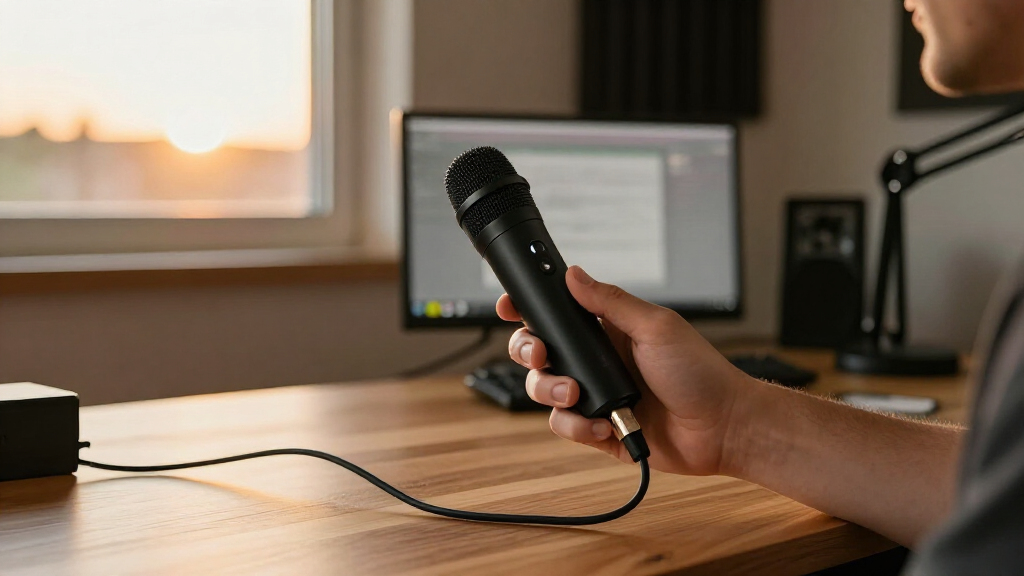
Portable USB microphones range from tiny laptop add-ons to fuller-featured mics for recording and streaming. My best overall pick is the Samson Go Mic, whose compact design suits travel and offers more recording flexibility than the simplest plug-in minis. The FIFINE K669B is a stronger fit for a desk setup that needs a larger condenser mic, while the FIFINE AmpliGame AM8 adds dynamic pickup and USB/XLR connections for a more involved setup. The main tradeoff is between small size and richer controls: the smallest models are easy to carry, while larger options give you more placement and sound-shaping choices. Read on for the full breakdown and help matching a mic to your setup.

Get everyday essentials delivered free with Prime
- Fast, free delivery on millions of items
- Prime Video, Amazon Music and more included
- Member-only deals all year
Complete the kit



Key Takeaways
- The Samson Go Mic is the most travel-ready standout among these picks; its compact format offers more flexibility than basic mini USB mics.
- The FIFINE K669B favors desk recording over pocket portability, trading a smaller footprint for a more substantial condenser-mic setup.
- The FIFINE AmpliGame AM8 is the most expandable option because it supports both USB and XLR, but its size and setup needs make it less suited to frequent travel.
- Gooseneck models solve placement problems, not every sound problem: they can bring a capsule closer to the speaker but remain small, simple desktop microphones.
- Mute and gain controls vary more than portability alone suggests; buyers who take calls or record often should prioritize reachable controls over the smallest body.


More Details on Our Top Picks
ZealSound Podcast Microphone for PC (K66)
The K66 earns its place for creators who want hands-on controls and the option to record from a computer or a compatible phone. Its cardioid pattern focuses pickup toward the speaker, giving it an advantage over the omnidirectional DUNGZDUZ Mini USB Microphone when a desk has noise coming from several directions. The included USB-C and Lightning adapters make switching devices simpler, while headphone monitoring, gain, mute, and echo controls put common adjustments within reach. Its weighted desktop base favors a fixed recording spot, though, so it is less convenient to pack than a tiny travel mic. Noise reduction is a selectable mode, not a substitute for a quiet room, and the echo control may be unnecessary for buyers who want a clean, unprocessed voice. I’d choose it for a flexible creator setup rather than the lightest travel kit.
Pros:- Cardioid pickup is suited to focusing on one speaker
- USB-C and Lightning adapters support compatible mobile devices
- Headphone monitoring and separate gain, monitor, mute, and echo controls
- Weighted base and included foam windscreen support a ready-to-use desk setup
Cons:- Desktop base and 1.1-pound listed weight are less travel-friendly than mini USB mics
- The many physical controls may be unnecessary for simple calls
- Noise reduction and echo processing may not suit users seeking an unprocessed recording
Best for: Creators who record at a desk and occasionally switch between a computer, iPhone, iPad, or compatible USB-C device
Not ideal for: Travelers who need a pocketable mic or speakers who need to pick up several people around a table
Our verdict“Choose the K66 if you want a control-rich desk microphone that can also connect to compatible mobile devices.”
DUNGZDUZ Mini USB Condenser Microphone with Touch Mute
At 50 g and less than two inches long, this is the most travel-minded pick in this group: it slips into its metal case without the desktop footprint of the ZealSound K66. USB-A plug-and-play support across Windows, Mac, Linux, Raspberry Pi, and Chromebook also makes it appealing for people who move between computers. The touch mute with red LED gives a quick visual cue during calls. Its tradeoff is the omnidirectional pattern, which can pick up more of the room than the K66’s cardioid design; that matters in a shared or noisy space. The listed 50–15,000 Hz response is narrower than the K66’s stated range, and there are no supplied headphone monitoring or gain controls. I’d treat it as a compact voice-capture tool, not a full desk recording setup.
Pros:- Compact 50 g body with a protective metal carrying case
- Plug-and-play compatibility includes Windows, Mac, Linux, Raspberry Pi, and Chromebook
- Touch mute has a red LED status indicator
- Noise reduction is included for voice capture
Cons:- Omnidirectional pickup can capture nearby room noise
- USB-A may need an adapter for devices without that port
- No listed headphone monitoring or adjustable gain controls
Best for: People who carry a small USB-A microphone between compatible laptops for calls, voice recognition, or occasional streaming
Not ideal for: Creators recording in noisy rooms or anyone needing directional pickup, headphone monitoring, or on-mic gain controls
Our verdict“Pick the DUNGZDUZ if portability and broad computer compatibility matter more than directional recording controls.”
USB Microphone with Adjustable Gooseneck, Mute Button, and LED Indicator
This gooseneck model suits a speaker who wants to position a mic close to their voice without adding a full-size desktop stand. Its 360-degree flexible neck makes placement easy to change between calls, while one-click mute and an LED indicator keep call control visible. Compared with the fixed, pocket-sized DUNGZDUZ Mini, it offers more reach and positioning flexibility; compared with the ZealSound K66, it has a simpler control set and no listed headphone monitoring or mobile adapters. The omnidirectional capsule can collect sound from multiple directions, so moving it closer may help but won’t provide the K66’s focused cardioid pickup. Compatibility is also limited to Windows 7–11 and macOS; Android, Raspberry Pi, and Xbox are explicitly unsupported. I’d pick it for a straightforward computer call station, not a cross-device creator kit.
Pros:- 360-degree gooseneck supports flexible placement
- One-click mute with LED status indicator
- Plug-and-play USB setup with no driver required
- Six-foot cable gives room to position it around a computer
Cons:- Omnidirectional pickup may capture sounds from around the speaker
- Not compatible with Android, Raspberry Pi, or Xbox
- No listed headphone monitoring or gain adjustment
Best for: Windows or Mac users who want to position a lightweight microphone near their mouth for calls and online meetings
Not ideal for: Android, Raspberry Pi, or Xbox users, and creators who need a directional pattern or mobile adapters
Our verdict“Choose this gooseneck mic for adjustable positioning at a Windows or Mac call station.”
C G CHANGEEK Mini USB Gooseneck Microphone for PC and Mac
The C G CHANGEEK is a simple, light option for calls and classes where easy positioning matters more than studio controls. At 43 g, it is lighter than the DUNGZDUZ mini mic and its 360-degree neck lets the user bring the capsule nearer without shifting the computer. A built-in USB sound card and plug-and-play setup keep the connection straightforward on Windows PCs and Macs. Unlike the ZealSound K66, this model lists no headphone monitoring, mute control, or separate gain adjustment, so it is better suited to basic communication than actively managed recordings. Its omnidirectional pickup may take in surrounding room sound, and the listed 60–12 kHz frequency range gives less detail about vocal bandwidth than the K66’s specification. I’d choose it when low weight and a bendable neck are the priorities.
Pros:- Lightweight 43 g design
- 360-degree adjustable gooseneck
- Built-in USB sound card and plug-and-play connection
- Compatible with Windows PC and Mac
Cons:- Omnidirectional pickup may capture surrounding room noise
- No listed mute button, headphone monitoring, or gain control
- Compatibility is specified for Windows PC and Mac only
Best for: Students and remote workers using a Windows PC or Mac who want a lightweight, positionable mic for calls and classes
Not ideal for: Mobile creators or podcasters who need mute, monitoring, gain controls, or a directional pickup pattern
Our verdict“Pick the C G CHANGEEK for lightweight, adjustable USB audio on a Windows or Mac call setup.”
CMTECK G009 USB Desktop Microphone with Mute Button
The G009 is the most call-control-focused gooseneck option here: it combines a mute button with LED status, a pop filter, and volume control in a compact desktop format. That gives it more direct on-mic adjustment than the C G CHANGEEK, which lists a gooseneck but no mute or gain controls. Its 360-degree neck helps position it, and the USB connection needs no driver or external power supply. The listing conflicts on pickup pattern, describing it as both omnidirectional and unidirectional; I would not buy it on the assumption that it reliably rejects off-axis noise. Compatibility also excludes Raspberry Pi, Linux, and Android, making the ZealSound K66 a more flexible choice for people recording across computer and mobile devices. I’d favor the G009 for routine desktop calls where quick muting matters.
Pros:- Mute button with LED status indicator
- Adjustable 360-degree gooseneck
- Pop filter and listed volume control
- USB plug-and-play operation without external power
Cons:- Product information conflicts on whether pickup is omnidirectional or unidirectional
- Not compatible with Raspberry Pi, Linux, or Android
- Desktop form is less portable than the DUNGZDUZ mini microphone
Best for: Windows or Mac desktop users who want a gooseneck mic with quick mute, visible status, and a pop filter
Not ideal for: Linux, Raspberry Pi, or Android users, and buyers who need confirmed directional pickup or broad mobile compatibility
Our verdict“Choose the G009 for a Windows or Mac call desk where a quick, visible mute control is a priority.”
FIFINE K669B USB Microphone, Condenser Recording Mic for Vocals, Meeting
The FIFINE K669B stands out for its straightforward plug-and-play design and solid metal construction, making it a reliable choice for both beginners and more experienced users. Compared with the MillSO USB Gooseneck Microphone, it offers a more stable stand and better sound quality thanks to its condenser capsule, though it’s less flexible in positioning. Its cardioid pattern effectively reduces background noise, which is essential for meeting and streaming environments. The built-in volume knob allows quick adjustments, but it lacks advanced features like mute controls or multiple polar patterns found in higher-end models. This microphone is ideal for users seeking crisp audio for voice-overs, podcasts, and meetings without complex setup. However, it isn’t compatible with phones or gaming consoles like Xbox, which may limit its versatility.
- Pros: Durable metal build, crisp clear output, easy USB connection, versatile for meetings and streaming
- Cons: No mute button, not compatible with phones or consoles, limited to cardioid pattern
Pros:- Durable metal construction ensures longevity
- Produces clear, crisp audio suitable for vocals and speech
- Plug-and-play with simple setup
Cons:- Lacks a mute button for quick silencing
- Not compatible with gaming consoles or phones
- Limited to cardioid pickup pattern
- Connectivity:USB-A
- Polar Pattern:Cardioid
- Frequency Response:20 Hz – 20 kHz
- Power Source:USB
- Dimensions:Not specified
- Build Material:Metal
Our verdict“Best Overall for Versatile Use and Clear Sound — Durable metal construction ensures longevity”
TONOR Conference Microphone for PC, USB Microphone for Win & Mac, G11
The TONOR G11 is designed specifically for small to medium conference settings, thanks to its omnidirectional pickup pattern that captures sound from all directions. This makes it ideal for meetings where multiple participants want equal audio pickup, a stark contrast to the FIFINE K669B, which is more focused on individual voice clarity. Its simple plug-and-play operation works seamlessly with Windows and macOS, while the built-in mute button enhances usability during calls. Its sturdy metal base and nylon shielded cable help reduce interference, but the omnidirectional pattern can also pick up background noise, which might be distracting in noisy environments. This microphone suits remote teams, seminar hosts, and small group discussions. Nonetheless, it’s less suitable for individual streaming or voice-over work that requires directional focus.
- Pros: Omnidirectional pickup, easy setup, built-in mute button, sturdy construction
- Cons: Sensitive to background noise, not ideal for solo recording, no advanced audio controls
Pros:- Covers a wide pickup area suitable for group calls
- Plug-and-play with no driver needed
- Includes a convenient mute button
Cons:- Background noise can be captured easily
- Less suitable for solo voice recording or streaming
- No adjustable directional patterns
- Connectivity:USB
- Polar Pattern:Omnidirectional
- Pickup Distance:11.5 ft
- Cable Length:1.8 m
- Power Source:USB
- Dimensions:Not specified
Our verdict“Best for Conference and Group Calls — Covers a wide pickup area suitable for group calls”
Samson Go Mic Portable USB Condenser Microphone
The Samson Go Mic excels in portability, combining a compact design with multi-pattern options that surpass the fixed cardioid of the FIFINE K669B. Its clips onto laptops or sits on a desk, making it flexible for recording music, podcasts, or voice calls on the go. Unlike the MillSO USB Gooseneck Microphone, which requires close placement, the Go Mic offers switchable polar patterns, including cardioid, omnidirectional, and bidirectional, allowing tailored use cases. Its plug-and-play setup is compatible with both Mac and PC, but it requires batteries (2 AA), which can be a hassle compared to bus-powered models. Its small size makes it perfect for mobile recording, but this also means it can be more susceptible to handling noise. This microphone is best for users who need a portable, multi-purpose mic for field recording or on-the-move podcasting. It’s less suited for stationary, high-volume studio environments.
- Pros: Compact and portable, multiple polar patterns, easy to use, suitable for various recording scenarios
- Cons: Requires batteries, small size can lead to handling noise, limited to 60 dB signal-to-noise ratio
Pros:- Multiple polar patterns for versatile recording
- Compact and lightweight for portability
- Easy setup with no external power needed
Cons:- Batteries required, adding maintenance
- Handling noise possible due to small size
- Not ideal for high-volume studio use
- Connectivity:USB
- Polar Pattern:Multipattern
- Power Source:2 AA batteries
- Frequency Range:20 Hz – 48 kHz
- Dimensions:2.8 x 1.7 x 0.9 in
- Build Material:Plastic with metal components
Our verdict“Best for Portable Recording and Versatile Use — Multiple polar patterns for versatile recording”
FIFINE AmpliGame AM8 USB/XLR Dynamic Microphone
The FIFINE AmpliGame AM8 offers a unique dual connection option, supporting both USB and XLR, which broadens its usability from casual streaming to more professional setups. Its USB mode provides features like tap-to-mute, RGB lighting, and headphone monitoring, making it an excellent choice for gamers and streamers who want integrated controls and lighting effects. Compared with the TONOR G11, which is more straightforward for conference calls, the AM8’s RGB lighting adds a visual flair but can be distracting in serious recording environments. The absence of controls in XLR mode limits convenience unless paired with a mixer or audio interface. The microphone’s unidirectional cardioid pattern focuses on capturing voice while rejecting noise from other directions, but the RGB lighting and USB features are inactive in XLR mode. This microphone is best for gamers and streamers who want flexible connectivity with added visual effects. It’s less suitable for professional studio voice-over work where simplicity and audio fidelity are priorities.
- Pros: Dual USB/XLR connectivity, RGB lighting, built-in monitoring, versatile for gaming and streaming
- Cons: RGB lighting inactive in XLR mode, additional gear needed for XLR use, USB features may be distracting
Pros:- Supports both USB and XLR for flexible use
- Built-in RGB lighting enhances visual appeal
- Headphone monitoring and volume controls in USB mode
Cons:- RGB lighting is inactive when using XLR
- Additional equipment needed for professional XLR setup
- USB features can be distracting in serious environments
- Connectivity:USB, XLR
- Polar Pattern:Unidirectional cardioid
- Frequency Response:50 Hz – 16 kHz
- Signal-to-Noise Ratio:80 dB
- RGB Lighting:Yes (USB mode)
- Power Source:USB or external power
Our verdict“Best for Gaming and Streaming with Dual Connectivity — Supports both USB and XLR for flexible use”
Mini USB Microphone for Laptop and Desktop
At just 50 g, this tiny USB-A microphone is the easiest pick here to keep in a laptop bag for calls, classes, or webinars. Its plug-and-play connection avoids driver setup, while the included metal case gives it more protection in transit than a bare mini mic. The omnidirectional pickup can capture voices from different directions, which suits casual desk use but may also pick up more surrounding sound than a focused recording mic. Compared with the AIRHUG Magnetic USB Microphone, this model is smaller and simpler to carry, but it lacks the AIRHUG’s cable-based placement options, mute button, and selectable sound modes. Its USB-A plug also connects directly to a computer, so placement depends on the port location. I’d choose it for convenient voice capture, not studio recording.
Pros:- Compact 50 g form factor fits easily in a laptop bag
- USB-A plug-and-play connection requires no additional drivers
- Omnidirectional pickup suits casual calls and shared desk use
- Includes a metal carrying case and a 12-month warranty
Cons:- Direct USB connection can limit placement based on the computer’s port position
- Not designed for studio-grade recording
- Omnidirectional pickup may capture nearby room noise
Best for: Students and frequent laptop travelers who want a tiny, driver-free microphone for calls and online classes.
Not ideal for: Streamers or recording hobbyists who need flexible mic placement, physical mute controls, or studio-oriented sound capture.
- Connectivity:USB Type-A
- Pickup pattern:Omnidirectional
- Weight:50 g
- Dimensions:0.71 × 0.31 × 1.89 inches
- Signal-to-noise ratio:60 dB
- Frequency range:50–15,000 Hz
- Compatibility:Laptop and personal computer
- Included case:Metal carrying case
Our verdict“Choose this mini mic if portability and quick USB-A setup matter more than flexible positioning or recording-focused controls.”
AIRHUG Magnetic USB Microphone for PC and Mac
The AIRHUG is the more adaptable portable option for people who don’t want a microphone fixed to a computer’s USB port. Its 2 m USB-C cable supports desk placement, while the magnetic mount, clothing clip, and reusable adhesive dots offer several ways to position it. That flexibility can help keep the mic near the speaker on a crowded desk or during movement. AI noise reduction and original sound modes give it more control than the simpler Mini USB Microphone for Laptop and Desktop, which is smaller but connects directly to the computer. A mute button with an LED indicator also makes its status easier to check during meetings. The tradeoff is a larger desktop-style setup with extra accessories to manage; it has no built-in speaker, and the listed compatibility is limited to Windows and Mac. I’d pick it for adjustable placement, not the smallest possible kit.
Pros:- Magnetic mounting, clothing clip, and reusable adhesive dots allow varied placement
- Two-meter cable makes positioning less dependent on the computer’s port location
- Mute button and LED indicator make mute status visible
- AI noise reduction and original sound modes offer more flexibility than a basic mini mic
Cons:- Desktop form factor and mounting accessories are less compact than the Mini USB Microphone for Laptop and Desktop
- No built-in speaker
- Listed compatibility covers Windows and Mac rather than a broader range of operating systems
Best for: Remote workers and presenters who want to reposition a USB microphone between desk, clothing, and nearby metal surfaces.
Not ideal for: Travelers seeking the smallest, simplest mic to leave plugged into a laptop, or users whose devices fall outside the listed Windows and Mac compatibility.
- Connectivity:USB Type-C
- Cable length:2 m
- Pickup pattern:Omnidirectional
- Pickup range:6 ft (2 m)
- Form factor:Desktop
- Compatibility:Windows 7/8/10/11 and Mac OS
- Features:Magnetic mounting, mute function, noise reduction, plug and play
- Included accessories:USB-C to USB-A cable, 3 reusable nano adhesive dots, user guide
Our verdict“Pick the AIRHUG if movable placement and visible mute control matter more than a minimal travel footprint.”
How We Picked
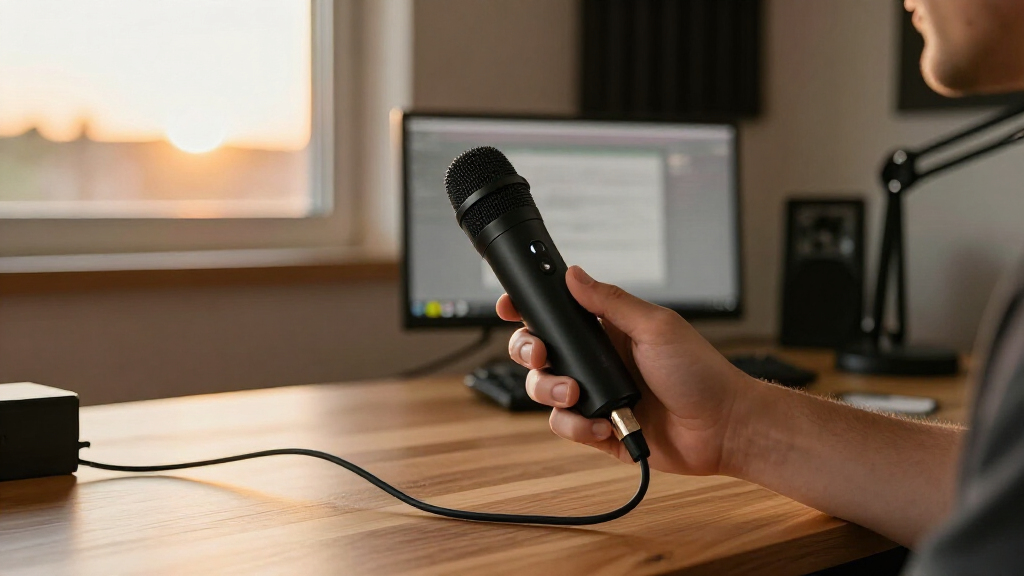
I compared these 12 microphones around the practical meaning of portability: how easily each can fit into a mobile setup, how simply it connects, and whether its controls and form factor suit the work it is meant to do. I also weighed likely use cases, including calls, voice notes, streaming, and recording, while distinguishing compact travel designs from desk microphones that are portable only between rooms.
The ranking gives priority to a useful balance of carryability, usability, and versatility, rather than treating the smallest mic as automatically best. The Samson Go Mic leads for compact recording flexibility; the K669B ranks as a more desk-oriented choice, and the AM8 is a specialist pick for people who value dynamic pickup and XLR expansion over light packing. Simple mini mics and gooseneck models can make sense for basic calls or tight spaces, but their limited controls and narrower use cases keep them below the more adaptable options.
Factors to Consider When Choosing Portable USB Microphones
Portable does not mean the same thing for every buyer. A mic that fits beside a laptop for occasional calls may be a poor companion for travel recording, and a compact body cannot compensate for awkward connections or controls you cannot reach. Use these factors to match the microphone to how and where you actually work.
Decide What Portable Means for Your Setup
Start by deciding whether the mic needs to travel in a bag, move between rooms, or simply take up little desk space. A very small USB microphone may be easy to pack but can leave you with limited placement options and few controls. A larger model can still be portable if you only move it occasionally and want a more stable desktop position. Check the full setup, not just the microphone body: cables, stands, adapters, and any carrying case add bulk. A common mistake is choosing by headline size without checking how the mic will sit beside your laptop. For frequent travel, favor a design that works on its own without requiring extra mounting gear.
Match the Microphone to Your Recording Environment
A microphone’s pickup style affects how much room sound may enter a recording, but it cannot fully compensate for a noisy space. Dynamic designs such as the AM8 may suit a close-mic speaking position, while condenser options can be useful for general voice capture when the room is reasonably quiet. Think about keyboard noise, fans, nearby conversations, and how close you can keep the mic to your mouth. A frequent mistake is buying a microphone marketed for noise reduction and expecting it to remove every background sound. Distance and room conditions still matter, so choose a mic you can place consistently. If you record in changing environments, prioritize easy positioning and a close speaking distance over claims alone.
Choose Controls You Can Reach While Speaking
Mute, gain, and monitoring controls matter most when you need to adjust something without interrupting a call or recording. A touch mute can be quick, but check whether its location and indicator are clear enough to avoid accidental muting. A physical gain control offers direct adjustment, though a control on the mic may be less useful if the unit sits out of reach. Before buying, decide whether you need instant muting, level changes, headphone monitoring, or just a connection that works. Do not pay for features you will rarely use if they add bulk to a travel kit. For frequent meetings, a clearly visible mute indicator can be more useful than extra recording effects.
Check Compatibility and the Whole Connection Path
USB in the product name does not guarantee a frictionless connection to every phone, tablet, or computer. Confirm the connector type and the operating systems listed by the manufacturer, then check whether your device needs an adapter or supports USB audio input. Mobile use may also depend on power handling, app compatibility, and the cable you already own. A common misstep is assuming that a microphone advertised for phones will connect directly to every phone model. Account for adapters before deciding that a mic is ready for travel. If you switch between a laptop and mobile device, choose a connection setup you can repeat without extra troubleshooting.
Know When USB/XLR Expansion Is Worth the Extra Bulk
A USB/XLR microphone can connect directly to a computer now and fit into a more advanced audio setup later. That flexibility is useful if you expect to add an audio interface or build a stationary recording setup, but it may be unnecessary for calls and basic mobile recording. XLR use typically calls for extra equipment, which adds cost, cables, and packing weight even when the microphone itself is portable. Buyers sometimes choose expandable gear for a future plan that never happens. If your needs are simple, a direct USB model may make the better travel companion. Pay for XLR only when you have a practical use for the connection or a clear plan to expand.
Set Expectations for Standalone Mini Microphones
Mini USB and gooseneck microphones can be convenient for basic calls, compact workstations, or quick plug-in use. Their small size does not mean they will outperform a headset microphone or a better-positioned desktop model in every room. Goosenecks offer a placement advantage, but the flexible stem does not make the capsule itself a full recording system. Check whether the mic needs a stable USB port, whether its shape blocks nearby ports, and whether the mute control is easy to operate. For occasional meetings, simplicity may matter more than rich recording features. For music, detailed voice work, or frequent location recording, choose a microphone with the controls and positioning range that task demands.
Frequently Asked Questions
Is the Samson Go Mic a better travel choice than a mini USB microphone?
It is the stronger fit if you want a compact mic with more recording flexibility than a basic plug-in mini. A mini model may be simpler for quick calls and may take up less room, but that compactness can come with fewer controls and limited positioning choices. Think about whether you need more than simple voice input, such as a mic you can place deliberately for recording. Also check the connection requirements for your laptop or mobile device before traveling. If your only goal is occasional calls, a simpler mini may be enough.
Can I use these USB microphones with my phone or tablet?
Some products in this roundup are presented for use with phones or tablets, but compatibility depends on the exact device, connector, operating system, and any adapter required. Check the manufacturer’s supported devices and connection details before buying, rather than relying on the word USB alone. A phone may also need to supply power to the microphone, which can affect whether the setup works as expected. Test the complete connection chain before relying on it for a remote recording or call. If mobile use is your main priority, choose based on confirmed compatibility with your specific device.
Should I choose a gooseneck microphone or a desktop condenser mic?
Choose a gooseneck when flexible placement and a small desk footprint matter more than broad recording features. Its stem can bring the microphone closer to your speaking position without requiring a separate boom arm. A desktop condenser such as the FIFINE K669B makes more sense when you want a more substantial desk recording setup and do not mind carrying a larger mic. Neither form factor removes room noise on its own, so placement and surroundings still affect the result. If you move the mic often or have limited space, the gooseneck style may be the more convenient fit.
Is a USB/XLR microphone worth carrying if I only record on a laptop?
Usually, a USB-only model is the simpler choice if your laptop is the only recording setup you plan to use. The FIFINE AmpliGame AM8’s XLR connection adds value when you expect to use an audio interface or expand into a more involved setup later. That flexibility brings extra equipment and cable needs when you use XLR, which can reduce the appeal for travel. Consider whether you have a real expansion plan, rather than buying for a hypothetical future. If you need straightforward laptop recording, favor a model that meets that need with less gear.
What should I prioritize for calls in a shared or noisy room?
Prioritize a microphone you can keep close to your mouth, plus an easy-to-reach mute control if you need to silence yourself quickly. A microphone’s noise-related features cannot guarantee that keyboard sounds, other speakers, or room echo will disappear. A close position and a quieter spot often help more than choosing a mic based on noise-cancellation wording alone. Check whether the mute indicator is easy to see during calls, especially if you take meetings frequently. If noise is constant, compare the microphone approach with a headset that keeps the mic close to your voice.
Conclusion
For the broadest mix of compact size and recording flexibility, I recommend the Samson Go Mic as best overall. Buyers who want a straightforward desk mic should look at the FIFINE K669B as the best value-oriented choice, while the FIFINE AmpliGame AM8 is my best premium pick for people who want USB now and XLR expansion later. For beginners who mainly need simple plug-in voice capture, a basic mini USB or gooseneck model may be easier to fit into a small setup; choose based on reachable controls and confirmed device compatibility. If flexible placement is your main need, look at the gooseneck options, and if travel is the priority, favor the smallest complete setup rather than a mic that needs extra gear. The right pick depends on whether you value easy packing, desk control, or future expansion most.
Fall Picks
fall essentials
As an affiliate, we earn on qualifying purchases.